 Boardpane
Your Azure DevOps work items and pull requests, in the VS Code sidebar.
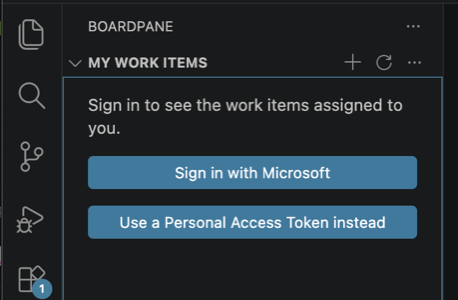
The tickets assigned to you and the open pull requests in your project, without alt-tabbing to dev.azure.com. Sign in with the Microsoft account your editor already has — no Personal Access Token, no config file.
Works in VS Code and Cursor · Free · Pro is $19 once
How it works
- Install Boardpane from the Marketplace or Open VSX. Nothing to configure.
- Sign in with Microsoft — one click, using the Microsoft account VS Code already has. A PAT works too if your org requires it.
- Pick a project. Your work items and pull requests show up in the sidebar. Hit Refresh for the latest.
Free, forever
- My Work Items — what's assigned to you and not closed in the project you picked, with state and age.
- Pull Requests — the ones waiting on your review first, then the ones you created, then everything else, with your own vote shown on each. Comment on one without leaving the sidebar.
- Change a work item's state, add a comment, create and check out a branch like
123-fix-login-bugstraight from it. - A status-bar count of your work items and the PRs waiting on you.
- Open anything in the browser in one click.
- Sign in with Microsoft, or paste a PAT if your org blocks that.
Pro — $19 once, yours forever
- Create work items without leaving the editor.
- Review pull requests in VS Code — native diff for every changed file, then approve, reject or complete (you pick squash, merge commit or rebase) from the same menu.
- One key, every machine you use. 14-day refund, no questions.
Why not Microsoft's own extension?
Microsoft's "Azure Repos" extension has over a million installs, a 2-star rating, and its last update was in 2020 — the repo is archived. Boardpane is a maintained replacement for the two things people actually used it for: the ticket they're working on and the PR someone is waiting on.
| Azure Repos (Microsoft) | Boardpane | |
|---|---|---|
| Last update | November 2020, repo archived | Maintained |
| Sign-in | Personal Access Token | Sign in with Microsoft (PAT optional) |
| Work items | A count in the status bar; opens the browser | Sidebar list: change state, comment, create a branch, create items (Pro) |
| Pull requests | A count in the status bar; opens the browser | Sidebar list: per-file diff, approve / comment / complete (Pro) |
What it does not do
Boardpane has no server. It talks only to your own Azure DevOps organisation and, if you enter a licence key, to Polar to check it. No telemetry, no account with us, nothing to cancel. It does not replace the Azure DevOps website — boards, sprints, queries and pipelines still live there. The full list of what it can't do yet is on what Boardpane can't do yet.